
Most online shops don’t fail on Black Friday because of one big mistake. They fail because of three or four small things that were fine on a normal Tuesday and quietly stopped being fine at 11am on the busiest shopping day of the year.
The day itself keeps getting bigger. Adobe Analytics recorded $11.8 billion in US online sales on Black Friday 2025, a new record, and Salesforce put global online sales for the day at around $79 billion. For a small shop the numbers that matter are much smaller, but the pattern is the same: a large share of the season’s revenue lands in a few days, and a lot of it lands in a few hours.
This is a practical checklist for the weeks before the sale: where shops usually break, what to check while there’s still time, and how to tell whether your hosting plan is actually up to it.
Why Black Friday traffic is different from a busy day
A busy day and Black Friday aren’t the same kind of busy. On a normal busy day, traffic rises gradually and spreads across the afternoon. On Black Friday it tends to arrive in bursts: the moment a promotional email lands, when a discount goes live at a set time, or when a social post gets picked up. In the US, Adobe found that spending peaked between 10am and 2pm, at around $12.5 million a minute during the busiest stretch.
Those visitors also behave differently. They don’t just browse. They add to basket, check stock, apply discount codes and go to checkout, often all within a few minutes. Every one of those actions is work your server has to do on the spot, and very little of it can be cached.
That’s why a site that handled a big day last spring can still struggle on Black Friday. It isn’t about the total number of visitors across the day. It’s about how many of them are doing expensive things at the same moment.
Where online shops actually break under load
When a shop slows down or falls over during a sale, the cause is usually one of a small number of things.
PHP workers run out. On a typical WooCommerce or PrestaShop setup, every uncached page request needs a PHP process to handle it. Shared hosting plans and smaller servers cap how many can run at once. Once that limit is reached, new visitors wait in a queue, and from their side the site simply looks frozen.
The database becomes the bottleneck. Product searches, stock checks, basket updates and order creation all hit the database. A query that takes a fraction of a second on a quiet day can take several seconds when hundreds of people run it at once, and everything behind it waits.
The cache stops helping. Page caching does a lot of heavy lifting most of the year, but baskets, account pages and checkout are personalised, so they bypass the cache by design. The most valuable part of the shop is also the part that gets no help from caching.
Resource limits kick in. On shared hosting, your plan has fixed CPU and memory caps, and you share the server with other accounts that may be running their own Black Friday sales on the same day. When the limits are reached, your account gets throttled, usually right when you need it most.
Third parties slow down. Payment gateways, shipping calculators, review widgets and tracking scripts all depend on someone else’s servers. If one of them is slow, checkout can hang even when your own hosting is fine.
If you want a rough idea of what an hour of any of this costs, we broke it down in The Real Cost of 1 Hour of Downtime. The short version: it adds up faster than most people expect, and Black Friday is when the cost per minute is at its highest.
Your pre-peak checklist
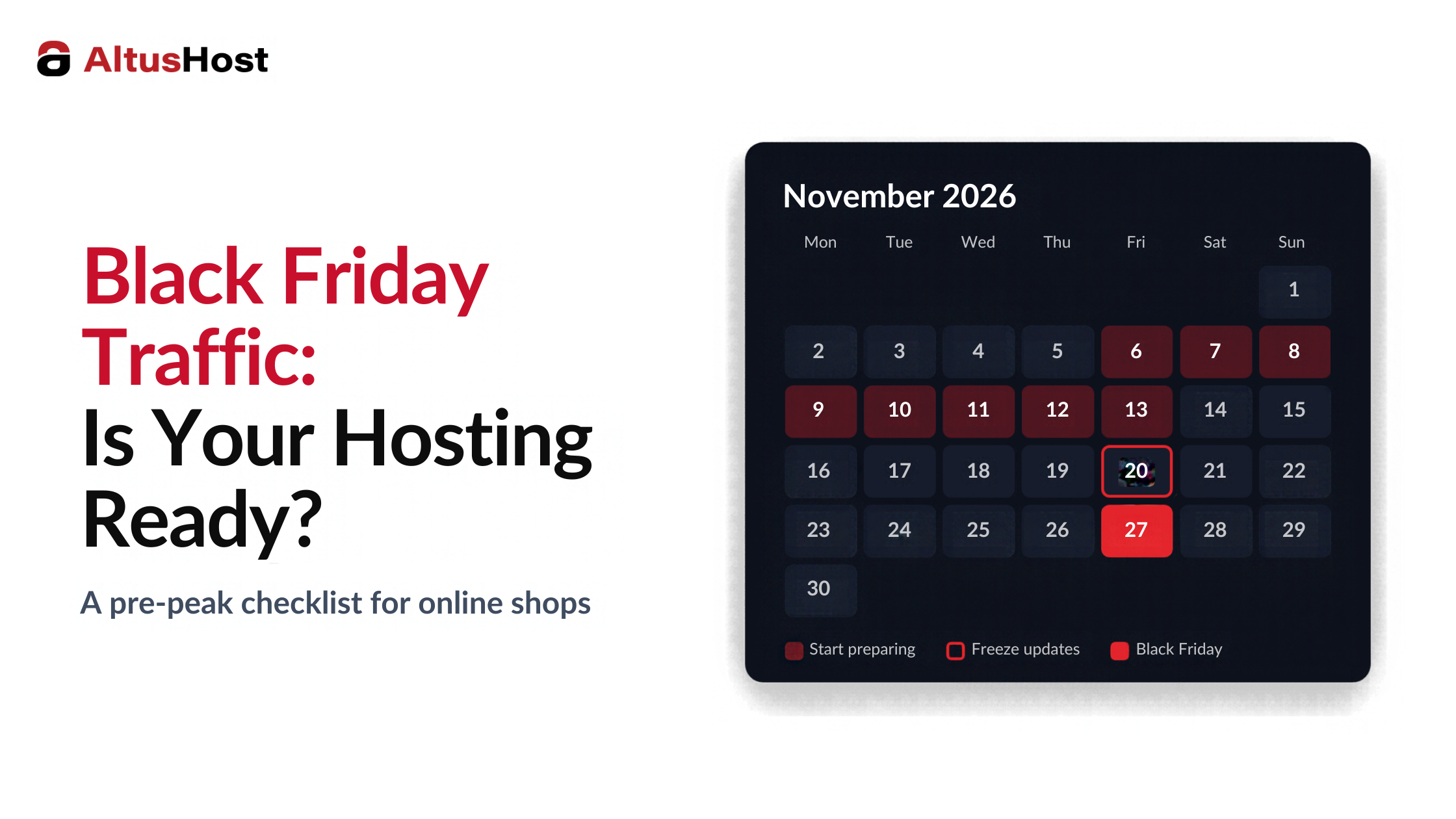
Two to three weeks before the sale is the right window. It’s late enough that your catalogue and promotions are mostly settled, and early enough to fix whatever you find.
Run a load test. Simulate a realistic number of visitors browsing, adding to basket and checking out at the same time, ideally on a staging copy of the shop. You’re not after a perfect score. You’re looking for the point where response times start to climb, and for what breaks first. That one finding is usually worth more than everything else on this list.
Check what’s actually cached. Make sure product and category pages are served from cache, that a CDN is handling images and static files, and that nothing is quietly bypassing the cache, such as a plugin that sets a cookie for every visitor. Then accept that basket and checkout will never be cached, and make sure the server has room for them.
Freeze updates. Pick a date, usually a week or so before the sale, after which no plugin, theme or core updates go live. A routine update that breaks checkout on the Tuesday before Black Friday is a very avoidable problem. Security patches are the exception: if a critical vulnerability is announced, patch it, test it and carry on.
Take a fresh backup and test the restore. Have a backup taken just before the freeze, and confirm that you can actually restore it. Know who does the restore and roughly how long it takes, so nobody is working it out for the first time in the middle of the sale.
Set up monitoring that reaches a person. At minimum, uptime checks on the homepage and checkout, plus alerts on server CPU, memory and disk. Make sure those alerts go to someone who will actually be available on Friday and over the weekend.
Clear out the clutter. Old sessions, expired data, abandoned baskets and post revisions slow database queries down over time. It’s also worth taking a hard look at third-party scripts: anything that isn’t essential to selling can be switched off for the week.
When shared hosting stops being enough for the season
Shared hosting is a perfectly reasonable home for a small shop for most of the year. The real question is whether it’s a reasonable home for your busiest week.
A few signs it probably isn’t: you’ve had resource limit warnings during previous promotions, the site gets noticeably slower every time a newsletter goes out, your load test shows response times climbing well before you reach the traffic you’re expecting, or last year’s Black Friday involved a support ticket about throttling.
If any of that sounds familiar, the problem usually isn’t your shop. Shared plans are built for steady, moderate traffic, with fixed limits and neighbours whose sales happen on the same day as yours. We cover the full set of signals in VPS vs Shared: When Does Your Business Actually Outgrow Shared Hosting?, but for Black Friday the deciding question is simpler: can your plan handle your busiest hour, not your average one?
Upgrading before the rush
If you decide to move to a VPS or a larger plan, do it weeks before the sale, not days. A migration done properly causes little or no visible downtime, but you want time to test the shop on the new server under load before real customers arrive.
When you talk to a provider, a few questions are worth asking directly. Are the CPU and RAM on the plan guaranteed to your server, or just a ceiling? What network port speed is included, and can it be raised? What happens if you go over your monthly bandwidth during a spike? Which backups are included, and how quickly can a restore be done? And who answers if something goes wrong at 9pm on a Saturday?
For reference, this is how it looks at AltusHost since our VPS update earlier this year. All VPS plans now include more CPU resources, a 1 Gbps network port as standard with up to 10 Gbps available on request, and a larger monthly bandwidth allowance. If you do go over that allowance, your VPS isn’t suspended and you aren’t billed for overage. It keeps running at a 50 Mbps fallback speed until the allowance resets. That’s a safety net rather than peak capacity, so if you expect a big week, it’s still worth checking your usage beforehand. Weekly disaster recovery backups are included, Daily Offsite Backup is available as an add-on, and our support team is available around the clock.
If something goes wrong on the day
Even with good preparation, things can go wrong. What matters then is how quickly you notice and what you do in the first hour.
Write a short plan before the day: who checks what, who contacts the hosting provider, and who talks to customers. If the shop goes down or checkout fails, a simple holding message on the site and a quick post on your social channels saying you’re aware and working on it will keep a lot of customers who would otherwise assume the shop has gone.
When you contact support, be specific about what’s failing, since when, and what changed recently. “Checkout returns an error since 10:40, homepage loads fine, no changes since Monday” gets a much faster answer than “the site is broken”. And if you extend a promotion because of an outage, tell people. Most customers are forgiving when they’re kept informed.
The bottom line
Black Friday rarely breaks a shop because of something unexpected. It breaks it because of limits that were always there and simply never got tested. Two or three weeks of fairly boring preparation does most of the work: a load test, a cache check, an update freeze, a backup you know restores, and alerts that reach a real person.
If you’re not sure whether your current setup can handle your busiest hour, we’re happy to take a look and give you an honest answer either way.
The AltusHost Team
FAQ
Q: How do I prepare my website for Black Friday traffic?
Start two to three weeks before the sale. Run a load test to find where the site slows down, make sure product pages are cached and static files go through a CDN, freeze non-security updates about a week before, take a fresh backup and test the restore, and set up monitoring that alerts someone who will be available over the weekend.
Q: Is shared hosting enough for an online shop?
For many small shops, yes, for most of the year. During peak sales it can struggle, because shared plans have fixed CPU, memory and process limits, and you share the server with other accounts. If you’ve had resource warnings or slowdowns during previous promotions, a VPS is usually the safer choice for the season.
Q: What happens if my VPS exceeds its bandwidth during a traffic spike?
It depends on the provider. Some suspend the server or charge overage fees. At AltusHost, a VPS that goes over its monthly bandwidth allowance is not suspended and is not billed for overage. It keeps running at a 50 Mbps fallback speed until the allowance resets.
Q: Why does checkout slow down when the rest of the site seems fine?
Basket and checkout pages are personalised, so they can’t be served from page cache. Every request needs the server and database to do real work, and payment and shipping integrations add calls to external services. That’s why checkout is usually the first part of a shop to slow down under heavy traffic.